

Secrets
Keep credentials out of tests, stored encrypted on your machine, hidden from the model, redacted from logs and reports.
Test files are shared, reviewed, and versioned, credentials must never be in them. Named secrets keep the value on your machine only.
Add a secret
- Open Extending → Secrets.
- Click Add secret.
- Name it (e.g.
QA_PASSWORD), enter the Value, optionally a Description. - Enable Agent may use this secret if tests type it.
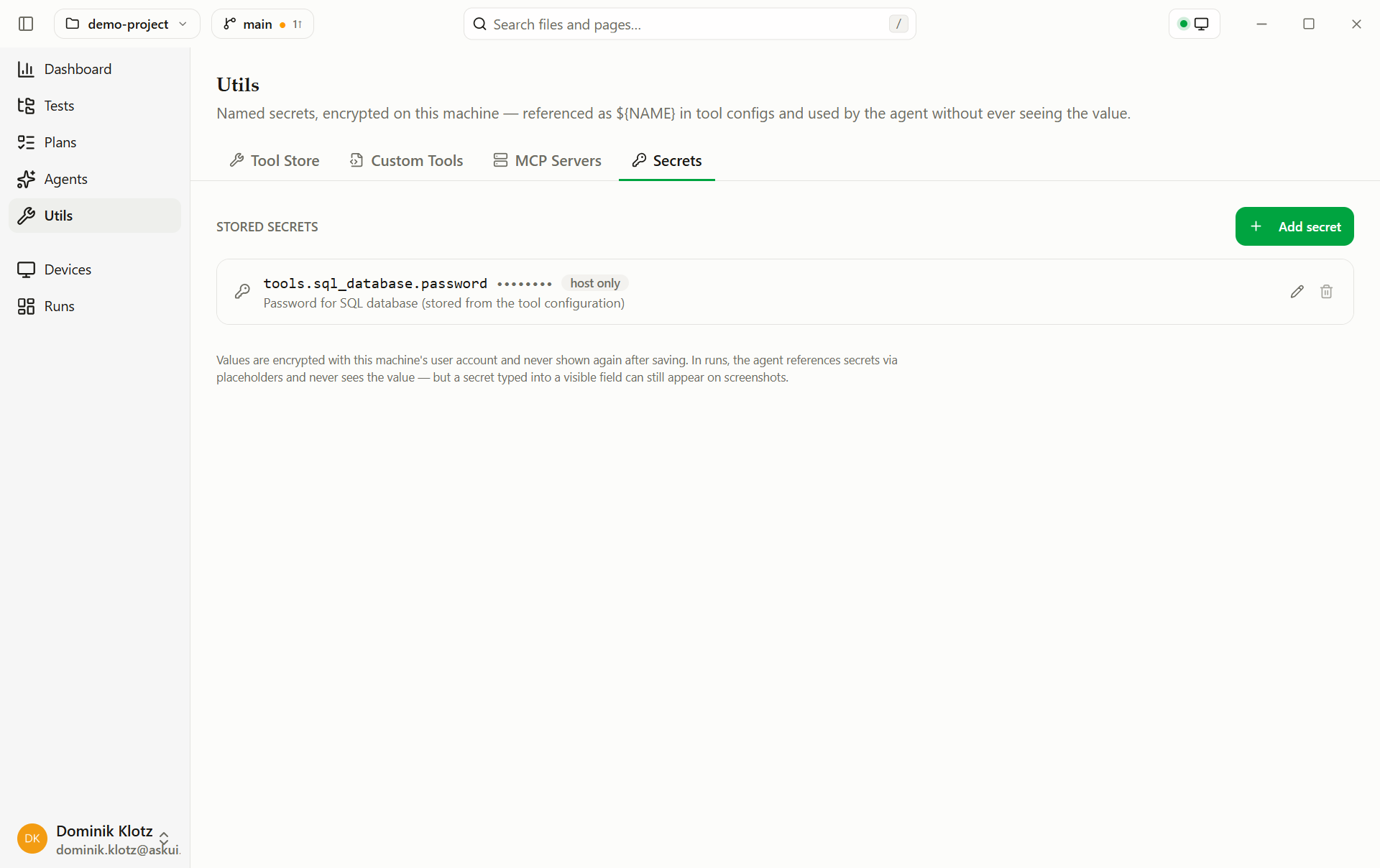
Values are stored encrypted on this machine, never in the project folder, never in version control. A colleague sees which names the project expects and enters their own values once.
Add an authenticator (two-factor codes)
If a login asks for a code after the password, add the authenticator here and a test can read that code itself.
- Open Extending → Secrets.
- Click Add authenticator.
- Name it (e.g.
admin) — that is what a test asks for. - Paste the setup key, or upload a screenshot of the enrolment QR code.
The row then shows the current code with a line counting the window down beneath it — green, red in the last five seconds — exactly like the app on your phone. Compare the two once: if they match, the key is right. The button beside the code copies it, for the times you need it yourself.
Every authenticator carries the agent label, and there is no switch to remove it: an authenticator exists so a test can read its code. What the agent gets is the six digits, never the key behind them.
Where the setup key is
Nearly every site shows it next to the QR code, behind a link like can't scan the QR code? or manual entry key. Paste it as printed — spacing and dashes do not matter.
If only a QR code is offered, upload a screenshot of it and the key is read out of it.
You only get one chance at it
An authenticator app will not give the key back, and most sites show it only while you are enrolling. If two-factor authentication is already set up and you no longer have the key, turn it off and on again — then enter the new key in both your phone and here.
Using it in a test
Adding your first authenticator switches the Read MFA Code tool on for you, so there is usually nothing to do here, just write the step:
3. Type the password and continue.
4. Read the MFA code for "admin" and enter it.
The agent only ever receives the six digits. The key behind them stays on this machine and
is never offered to it — and unlike other secrets, it is never substituted into a
${NAME} placeholder, because that would hand over the generator instead of a code.
If a test still cannot read a code, check that the tool is on under Tools: switching it off is the one thing that stops it, and the Tool Store shows a note under the row while the project has authenticators.
Not yet usable with caching
A test that reads an MFA code cannot be replayed from a cached trajectory today. The replay types the code that was recorded, which expired long before the replay ran. Leave caching off for projects whose tests sign in through two-factor authentication.
What cannot be automated
This covers authenticator-app codes. A push notification you approve on your phone and a hardware security key cannot be answered by a tool — they are built so that only a person present can satisfy them. For a code that arrives by e-mail, use the Read Email tool instead.
If a login fails with "invalid code", re-copy the setup key before looking anywhere else: a key with the wrong letters is often still a well-formed key, so it produces codes the site simply rejects, with nothing to point at the cause.
Use it in a test
Reference the name, not the value:
Sign in with the QA credentials — the secrets named
`QA_USERNAME` and `QA_PASSWORD`.
The agent sees only the name. It types a placeholder; the real value is substituted at execution time, hidden from the model, redacted from the conversation log and the reports.
Use it in a tool config
A tool, custom tool,
or MCP header references ${QA_PASSWORD} and gets the
value at run start.
One limit: a value typed into a visible field appears on screenshots, redaction covers text, not pixels. Use masked password fields for genuinely sensitive data.
In a headless run
The CLI has no secret
store; the environment takes its place. A secret named QA_PASSWORD
resolves from the environment variable QA_PASSWORD (or the Project's
.env), so a pipeline sets it from its own secret store. This covers
references in tool configs and MCP headers. The agent itself gets no secrets
in a headless run yet, so a test that types a secret runs in AskUI Desktop only.