

Remote computer
A desktop machine running AgentOS, this PC or a dedicated test machine, addressed by host, port, and display.
A Remote computer profile drives a desktop machine through AgentOS: your own PC, or a dedicated test machine so your mouse and keyboard stay free.
Preconditions: for a remote machine, AgentOS installed as a service on it (listens on port 26000) and reachable over the network. For this PC: none, the seeded Local profile starts its own AgentOS.
Create it
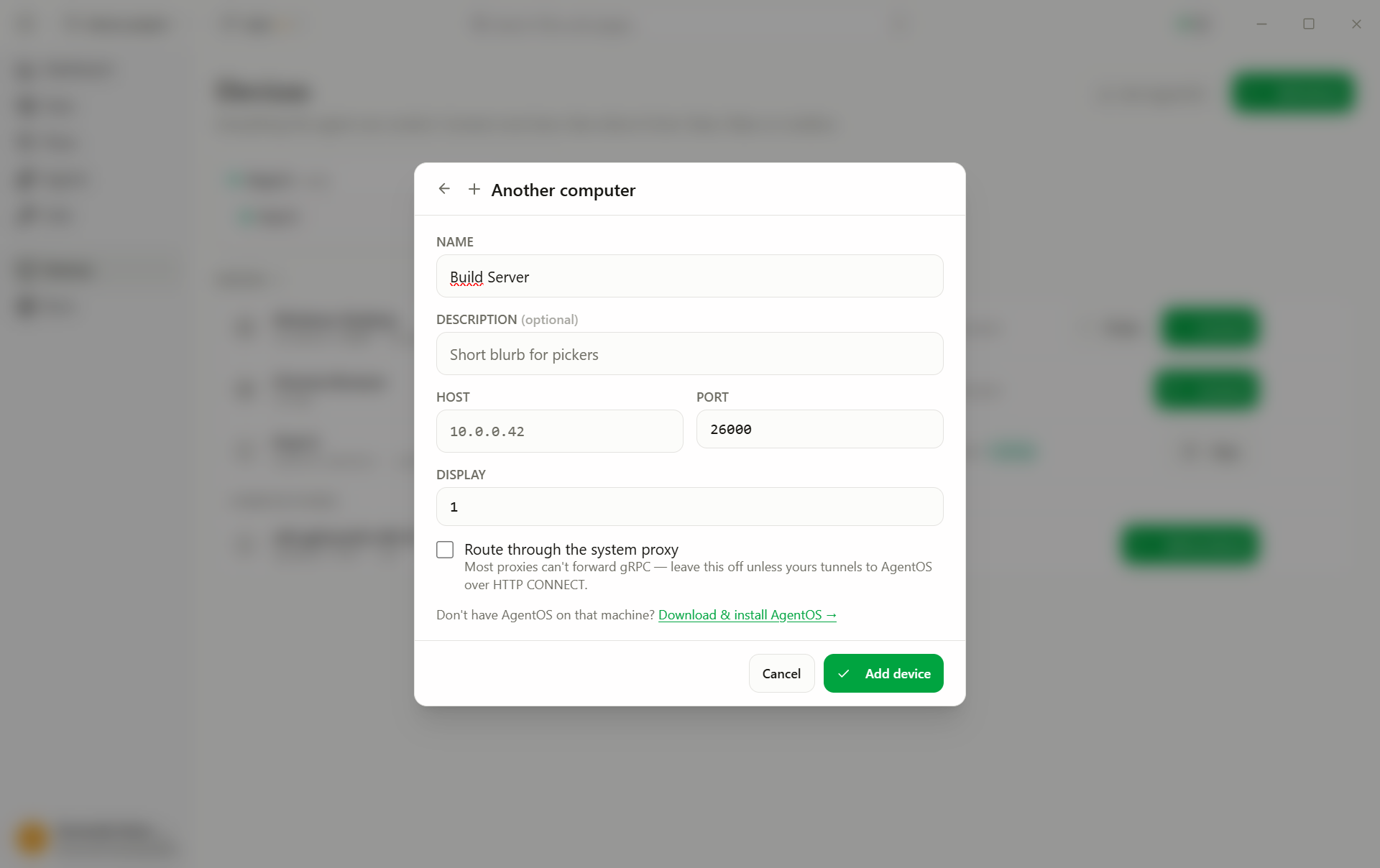
- Add device → Remote computer.
- Fill in the fields:
- Host: machine name or IP;
localhostfor this PC (text, required) - Port: the AgentOS port; 26000 = installed service (number, default
26000) - Display: which screen to drive on a multi-monitor machine (number, default
1) - Use system proxy: route the connection through your system proxy (toggle, default off)
- Host: machine name or IP;
- Add device.
Run it
- Connect on the profile card, the status dot turns green.
- Pick the profile in the test's Run on dropdown and press Run.
The agent sees and acts on exactly one display per session. The session is a real user session on that machine, pointer, keyboard, foreground windows. Nobody should work on it during a run.
Restart the controller on this PC
The Local profile (localhost, port 23000) starts its own standalone
AgentOS controller. When a Connect to it fails — the controller stopped
answering, or an earlier AskUI Desktop never let go of it and the error reads
Device is busy — a Force Restart button appears next to Retry on the
row. AskUI Desktop then:
- releases the profile's session, if it has one;
- stops every
AskuiRemoteDeviceControllerprocess on this PC, killing one that ignores the stop request; - starts a fresh controller and connects the profile to it.
The card reads restarting controller… while this runs; the profile ends up connected. If a process survives even the kill, a message names its PID: end it in Activity Monitor (macOS) or Task Manager (Windows), then press Connect.
The button appears only where it can help: a standalone local controller whose connection has just failed. A working connection never shows it, and neither does a remote machine.
Standalone AgentOS only. Restarting an AgentOS service (port 26000) is a different job — restart the service on the machine it runs on.
On Windows, if that service is running, AgentOS quietly serves the Local profile from the service instead of a standalone controller, and AskUI Desktop cannot currently tell. On such a machine Force Restart would stop the service's controller too. It is offered only after a failed connection, which a running service normally does not produce, but be aware of it.