

Android emulator
A virtual Android device created and managed on this machine, device type, Android version, lifecycle.
An Android emulator profile provisions a virtual Android device on this
machine. The app creates it, boots it, and connects it, you never touch
avdmanager.
Create it
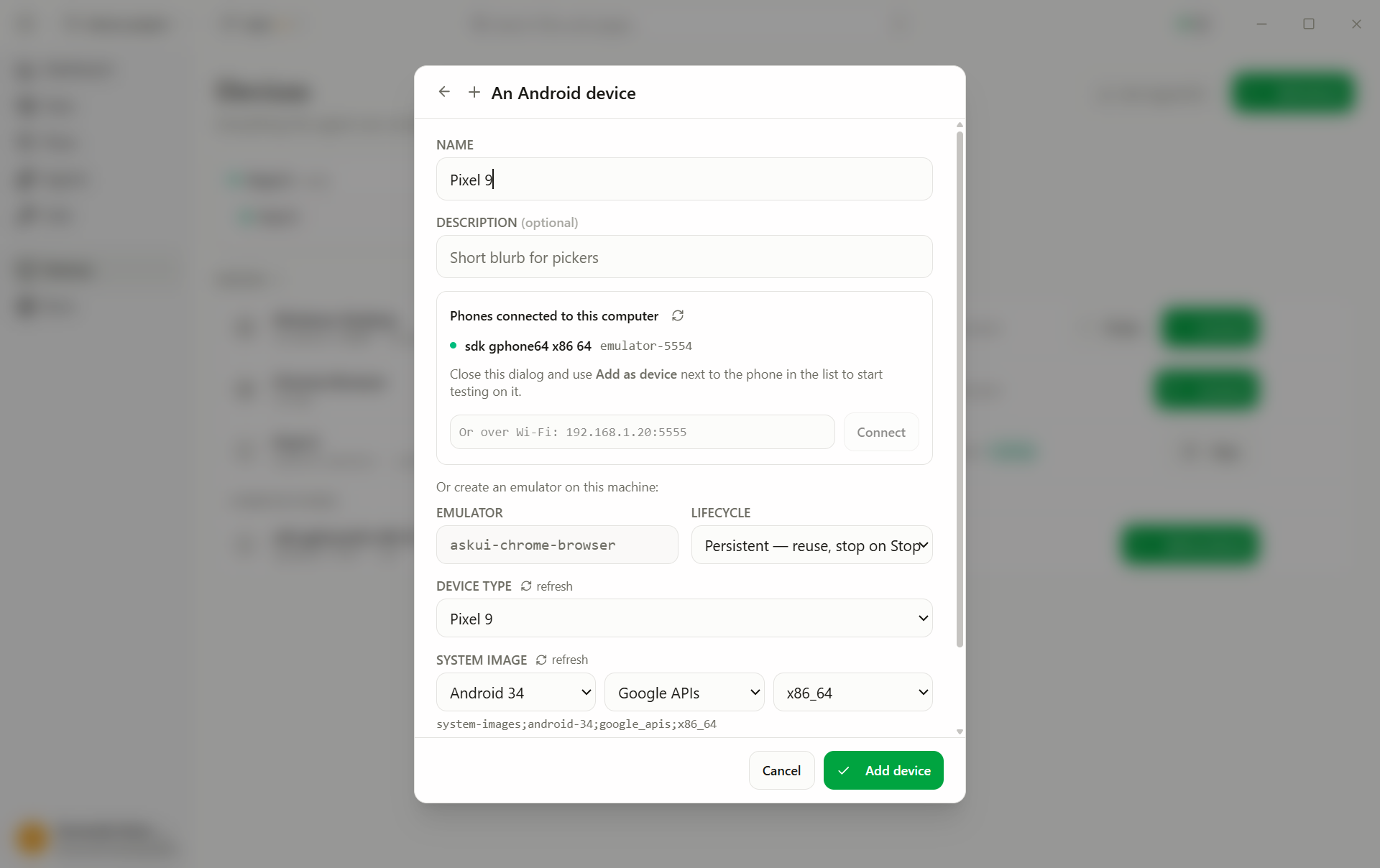
- Add device → An Android emulator. (A phone plugged into this computer is the other entry, An Android device, see Android phone.)
- Fill in the fields:
- Device type: hardware profile: screen size, resolution (select, default
Pixel 9) - System image: the Android version the device runs (select, default
Android 34 · Google APIs) - Lifecycle: what Start and Stop do, see below (select, default
Persistent) - Headless: boot without an emulator window (toggle, default off)
- Device type: hardware profile: screen size, resolution (select, default
- Add device.
No Android SDK on this machine yet? The editor says Android tools are not installed on this computer, names what Install will fetch, and the button runs the setup right there: accept the licences, watch the download, stop it if you must. When it finishes, the device-type and system-image lists reload from the freshly installed SDK. You can also add the device first and set the SDK up from its card.
Lifecycle decides how long the device lives:
| Lifecycle | On Start | On Stop |
|---|---|---|
| Persistent | Reuses the existing device | Shuts the emulator down, keeps the device |
| Ephemeral | Creates a factory-fresh device | Deletes the device |
| Always-on | Reuses the existing device | Leaves the emulator running |
Persistent is the everyday choice. Ephemeral gives every session reproducible preconditions at the cost of a cold boot. Always-on skips even the shutdown, fastest turnaround, state carries over.
Run it
- Start on the profile card boots the emulator and connects it.
- Pick the profile in the test's Run on dropdown and press Run.
The card shows each state while Start works:
| State on the card | What's happening | Notes |
|---|---|---|
| Set up phases: Downloading command-line tools… / Unpacking JDK… / Accepting licenses… / Installing emulator… / Downloading system image… | One-time tooling bootstrap, only when no Android SDK exists, runs after your consent click | Minutes, once per machine |
| Creating… | Building the virtual device | First Start only, and every Start with an Ephemeral lifecycle |
| Booting… (· 42s) | The emulator is cold-booting; the counter shows elapsed time | First boot takes several minutes, later boots are faster. If the emulator crashes on the machine's GPU, Start retries once with software graphics |
| Ready | Boot completed, device connected, green dot | An emulator that was already running skips straight here, never rebooted |
A Start that hangs in Booting… past ~8 minutes times out with an error, the emulator may still come up; Start again reconnects to it.
The card reads Set up instead of Start — the Android SDK is not installed (or no longer complete). The card shows the same Android tools are not installed on this computer notice as the editor, with Install; that button and Set up open the same setup dialog, where one click installs everything missing, or the manual steps tell you what to run yourself. Nothing downloads before you confirm.
Set up fails with "Install did not complete" — open Settings → Machine →
Android SDK. The Dependencies list shows every piece the emulator needs,
which version was found and where it lives, so you can see which one is the
problem. A piece that is there but cannot be used says why: a Java older than 17,
a JRE rather than a full JDK, or on Windows a Java under a folder with parentheses
such as C:\Program Files (x86)\…, which the Android tools' scripts cannot read.
A piece that was never installed says where Set up will put it.
The JDK row lets you choose Installed or Downloaded. Pick Downloaded and the app fetches its own JDK into the SDK folder and uses only that one, leaving the Java installed on your machine untouched. Then press Set up on the card, which installs whatever is missing.
Rebuilding the Android SDK from scratch — the same card has Delete…. It removes the whole SDK folder, including the JDK inside it and the emulators created from it, whether or not AskUI installed them; the confirmation shows the exact folder. Afterwards every row reads not installed and Set up rebuilds it. A running setup can be stopped from the setup dialog; what was already downloaded is kept and the next Set up carries on from there.
Start says the emulator already exists but cannot be used — the emulator's system image is usually missing, and the card offers Set up to download it, after which the emulator works again unchanged. If the image is there and Start still refuses, the error offers Replace emulator…: it deletes that emulator, including everything installed on it, creates a new one and starts it.
Testing on a physical phone instead? See Android phone (real device), discovered via USB and added as a profile with one click.