

Multi computer
Several desktop machines driven by one agent in a single test, for client-server and cross-machine scenarios.
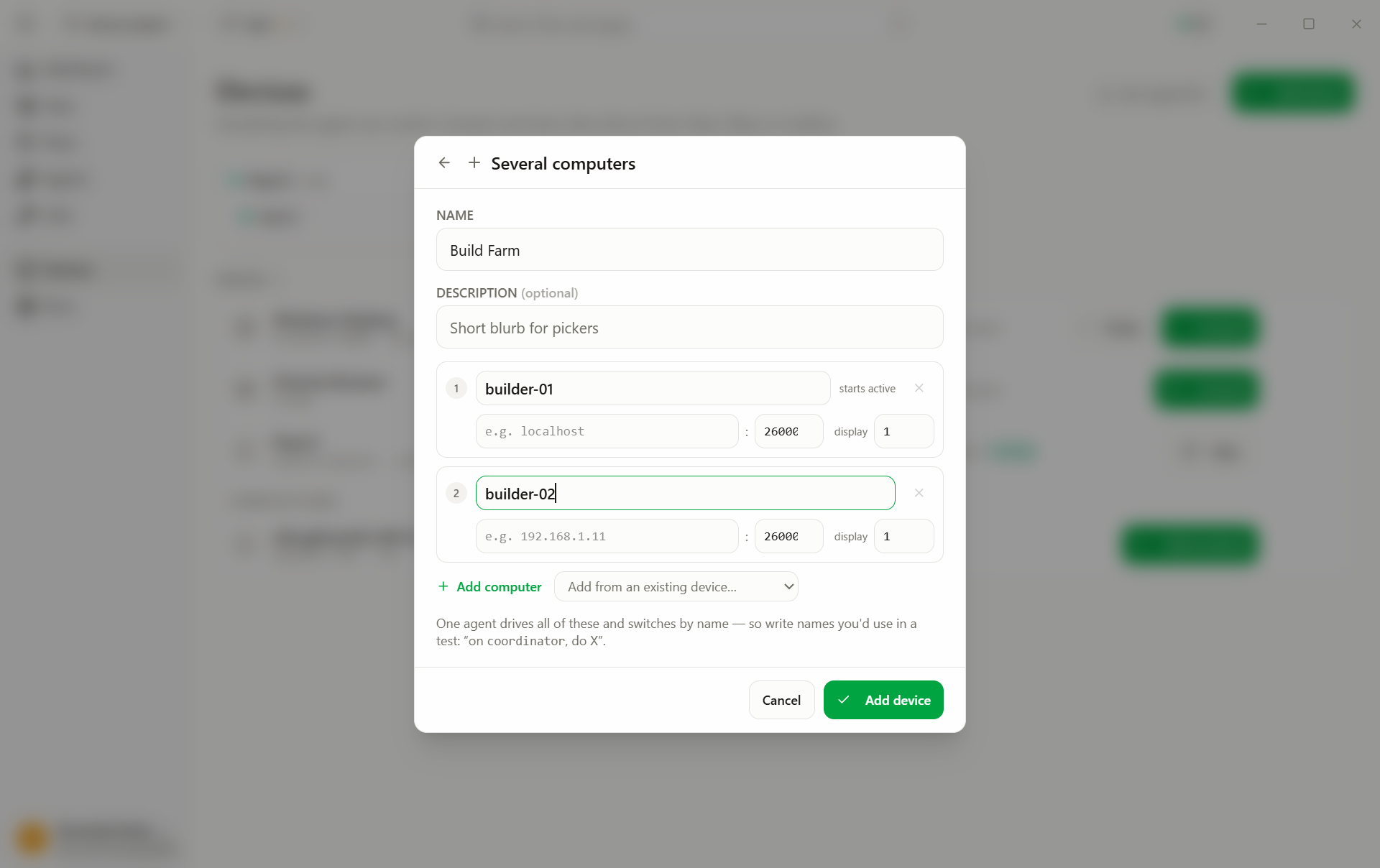
A Multi computer profile puts several desktops under one agent. The test switches machines by name mid-test, for anything where two machines must interact: client and server, sender and receiver.
1. On the **server**, start the message service.
2. On the **client**, send a message to the server.
3. On the **server**, the message appears in the log.
Preconditions: every machine runs AgentOS as a service (port 26000) and is reachable over the network.
Create it
- Add device → Multi computer.
- Add one row per machine (at least two). Add from profile… copies an
existing Remote-computer profile into a row, its Prompt included. Per row:
- Name: how tests refer to the machine: role names (
server,client), not hostnames (text, required) - Host: machine name or IP (text, required)
- Port: the AgentOS port (number, default
26000) - Display: which screen to drive on that machine (number, default
1) - Prompt: what the agent gets told about this machine, quirks the screen doesn't show ("Windows 11, always execute on display 1") (text, optional)
- Name: how tests refer to the machine: role names (
- Add device.
The profile's own Prompt field above the rows is for what every machine shares (one domain account, say). The agent gets it first, then each machine's prompt under the machine's name; a row with an empty prompt adds nothing. The row keeps a copy of the source profile's prompt: editing the Remote-computer profile later doesn't change the row, edit the row instead.
Run it
- Connect: one session covering all machines.
- Pick the profile in the test's Run on dropdown and press Run.
The first row starts active; the agent switches whenever a step names another machine.